MARS/WARS Apps: A Student's Guide

Legion, Tempus, and Munus are three apps the software subteam builds and runs for the rest of MARS/WARS. As a student you don't need to understand any of that — you need to know how to sign in, log your shop hours, and sign up for volunteer opportunities. That's this post.
Signing in — one tap, no password
Every one of these apps signs you in through Legion, and Legion never asks for a
password. Run /legion, /tempus, or /munus in Slack, and Mercury — the one
shared Slack app behind every MARS/WARS tool — replies right there with a one-tap
link, visible only to you: something like 🏠 Open Legion or 🕒 Open Tempus. Tap it
and you're in — no approval step, nothing to wait for. /hours and /vhours work the
same way, they just show your stats first, with the same kind of link at the end.
You might land on a page with a small "limited mode" banner the first time — that's normal and not something you need to do anything about. It's mentor-relevant (see the mentor's guide if that's ever you); as a student it doesn't affect anything you can do.
Tempus — shop attendance
Tempus tracks your hours in the shop. There's no app to open for the everyday part:
- Walk in, scan your badge at the kiosk — you're signed in.
- Walk out, scan it again — you're signed out, counted as full "Contributor" hours by default.
/hoursin Slack any time for a private summary of your week and season so far:
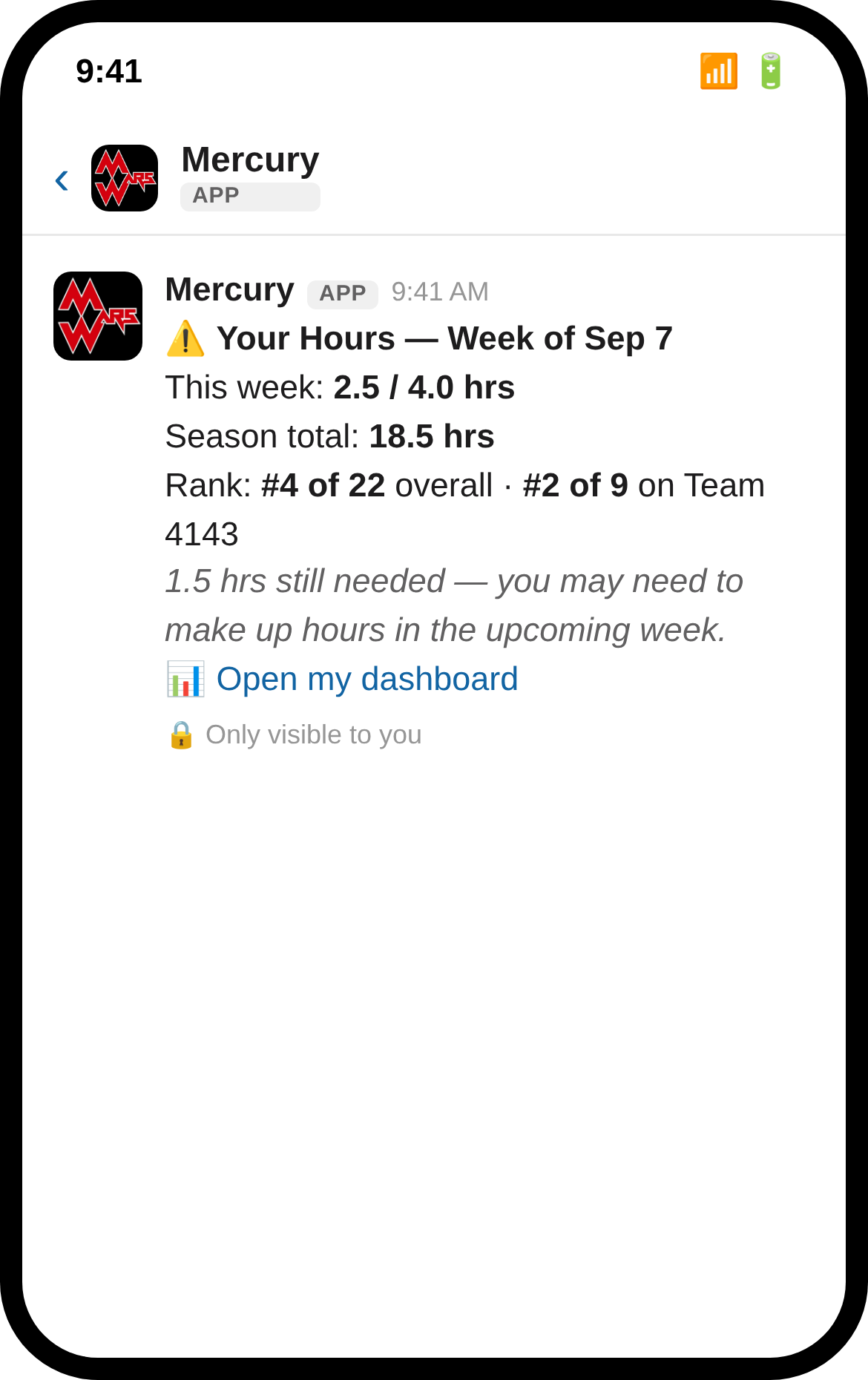
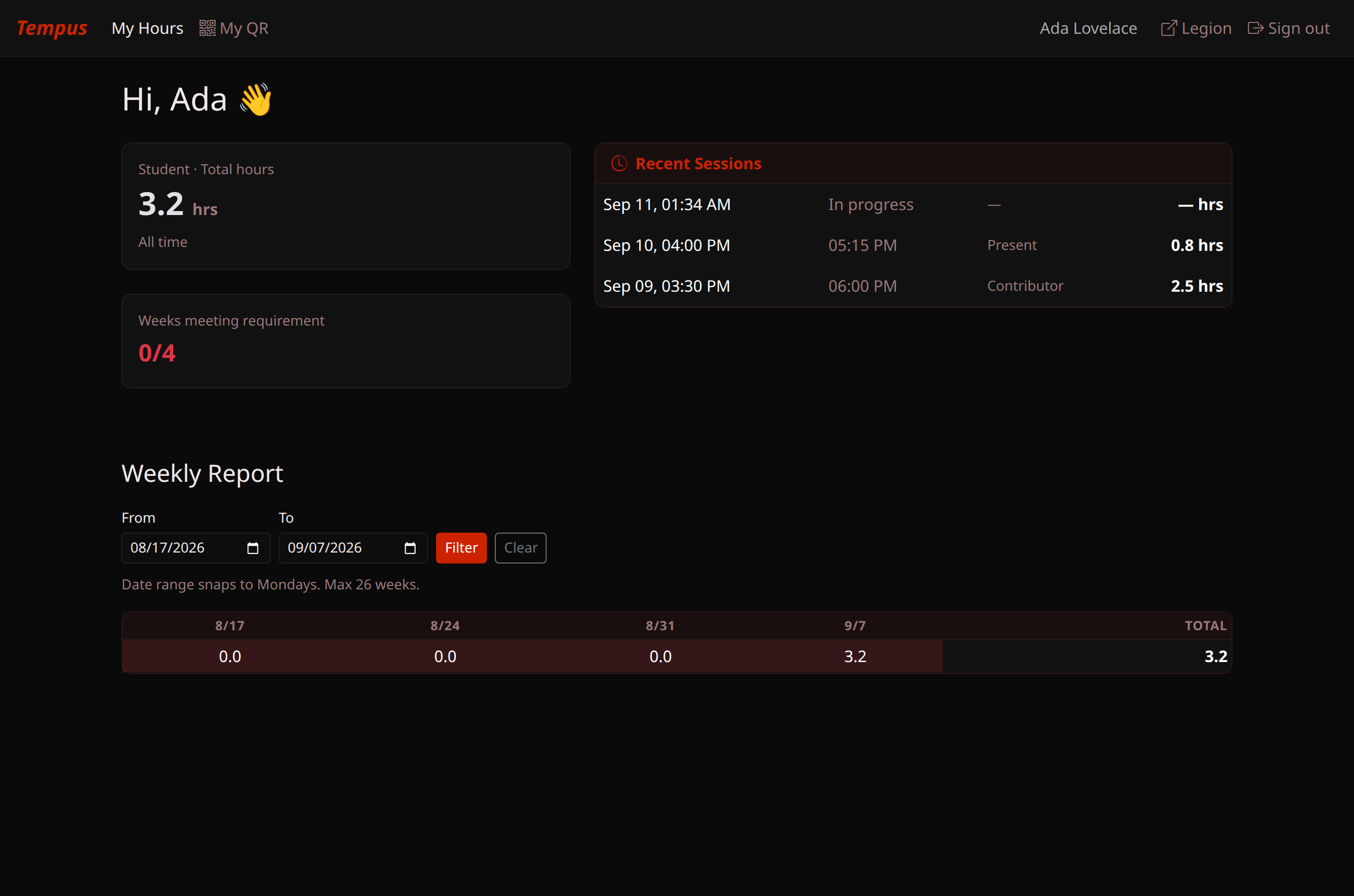
That reply ends with a 📊 Open my dashboard link straight to your personal page — your recent sessions, total hours, and whether you're on pace for the week:
A couple of other commands worth knowing:
/qr— lost your badge? This DMs you a fresh QR code on the spot, no mentor needed./shop— see who else is currently signed in.
If a mentor needs to correct a session (say, you were marked Contributor but were
mostly goofing off — or the reverse), that happens on their end via /edit; there's
nothing for you to do there.
Munus — volunteer hours
Munus is where volunteer opportunities get posted, and where you sign up and log your hours toward your season requirement. The whole loop below — signing up, getting reminded, and logging your hours — happens without leaving Slack.
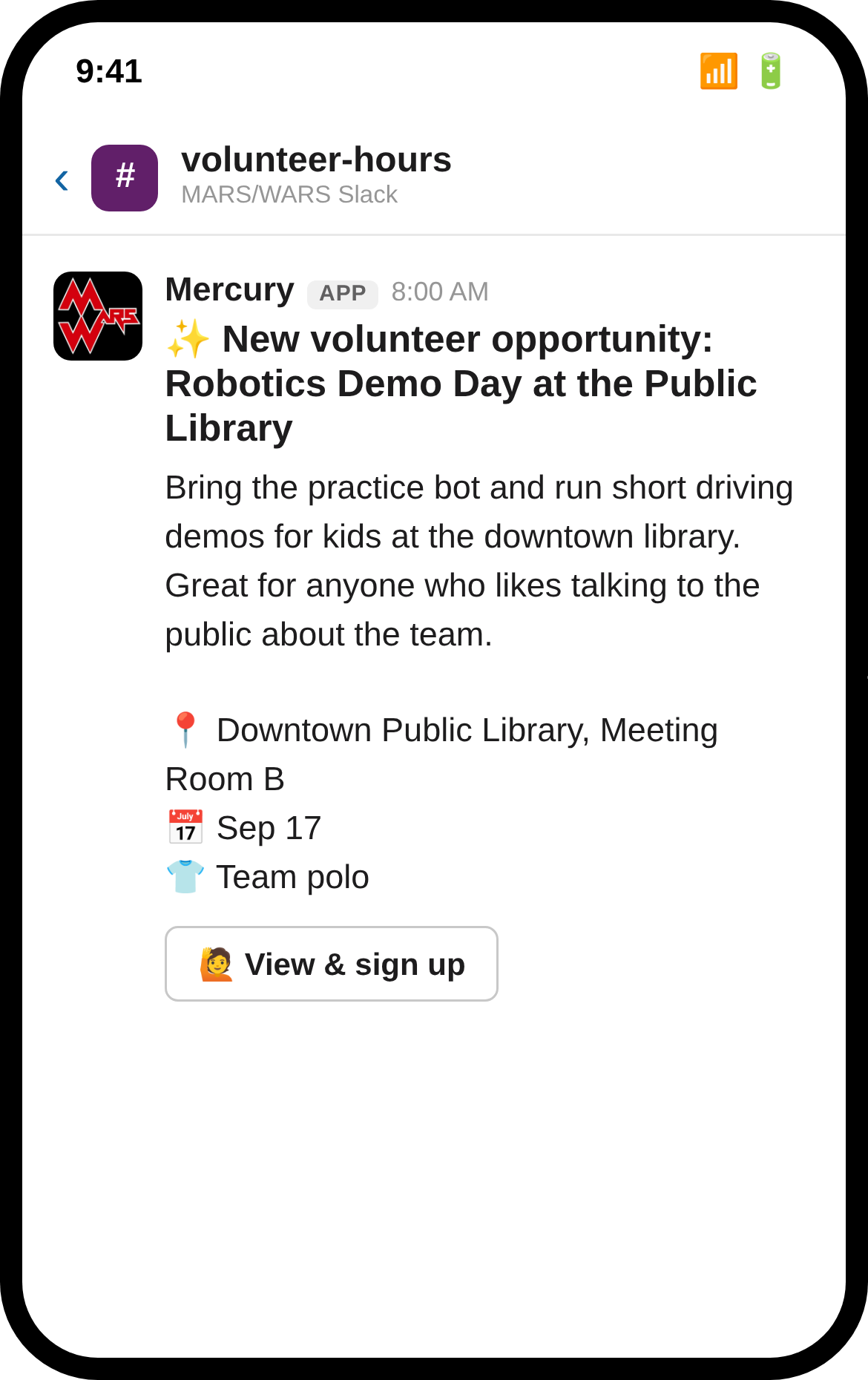
1. An opportunity gets posted to the team's volunteer channel:
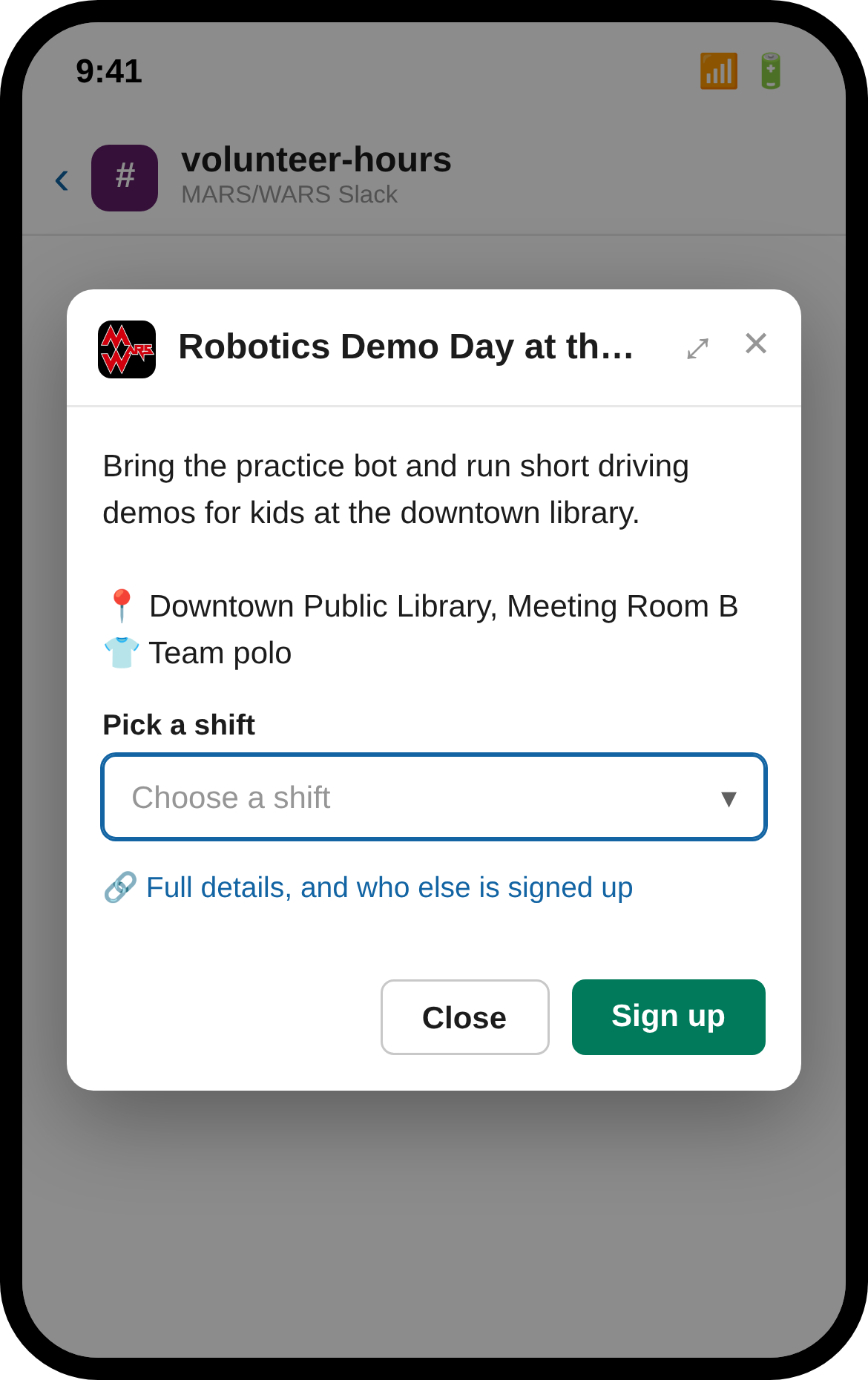
2. Tap "View & sign up" and a form opens right there — pick your shift and submit, no page load:
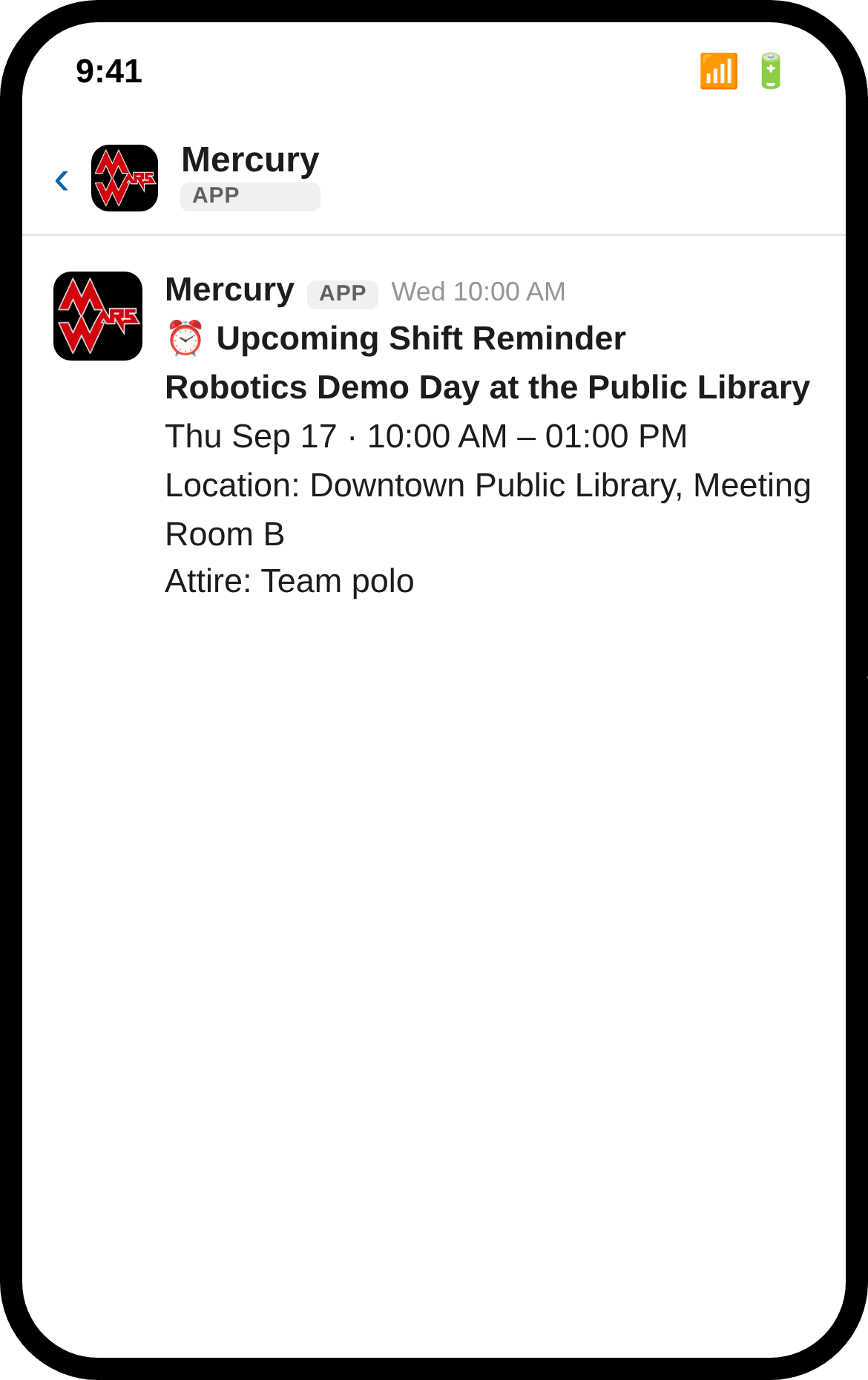
3. The day before your shift, a reminder shows up with the time, location, and attire, so it's not a surprise:
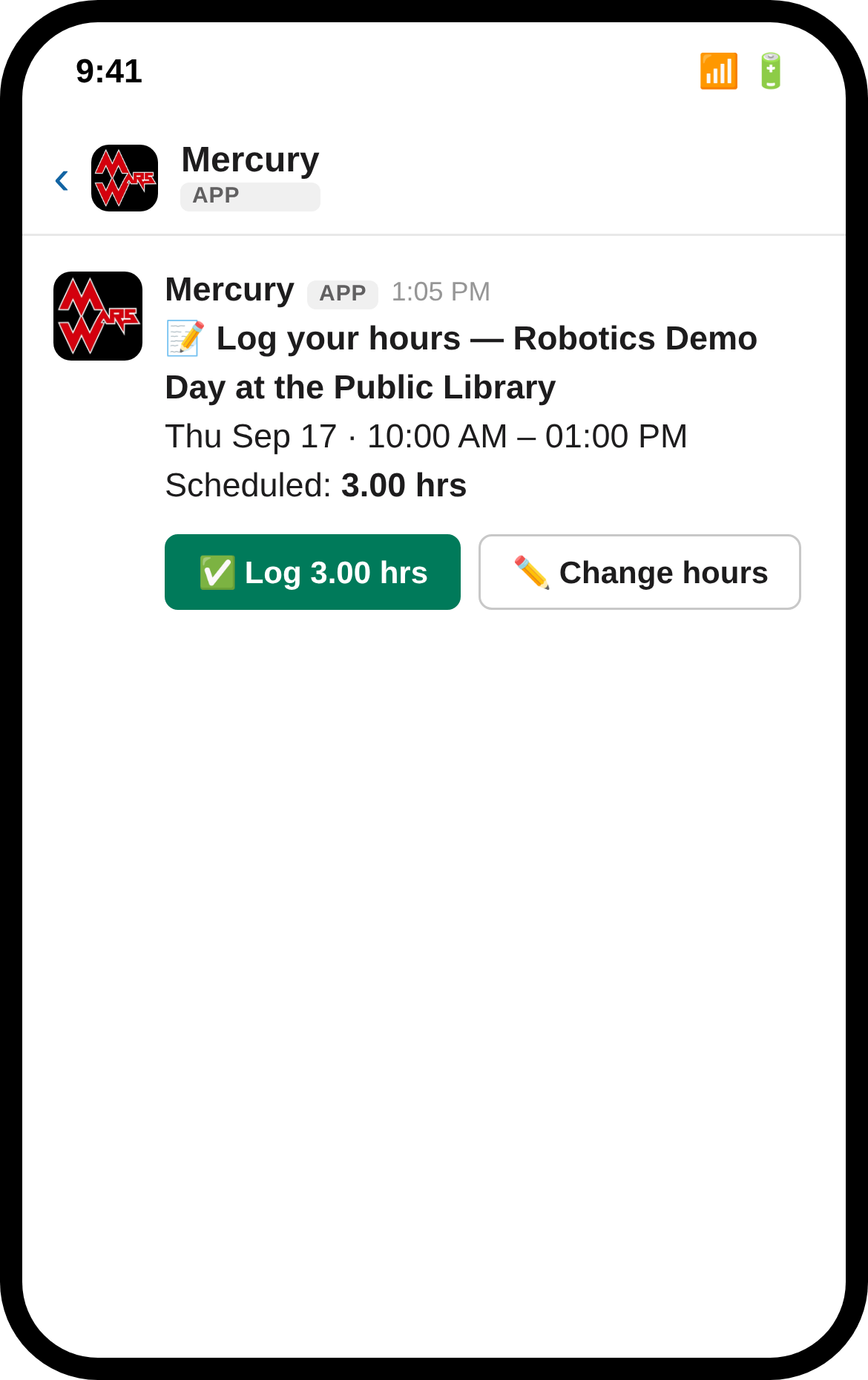
4. When the shift ends, log your hours in one tap — pre-filled with the scheduled length, or adjust it if you ran long or short:
5. A mentor reviews it, and once they approve, you'll hear back:
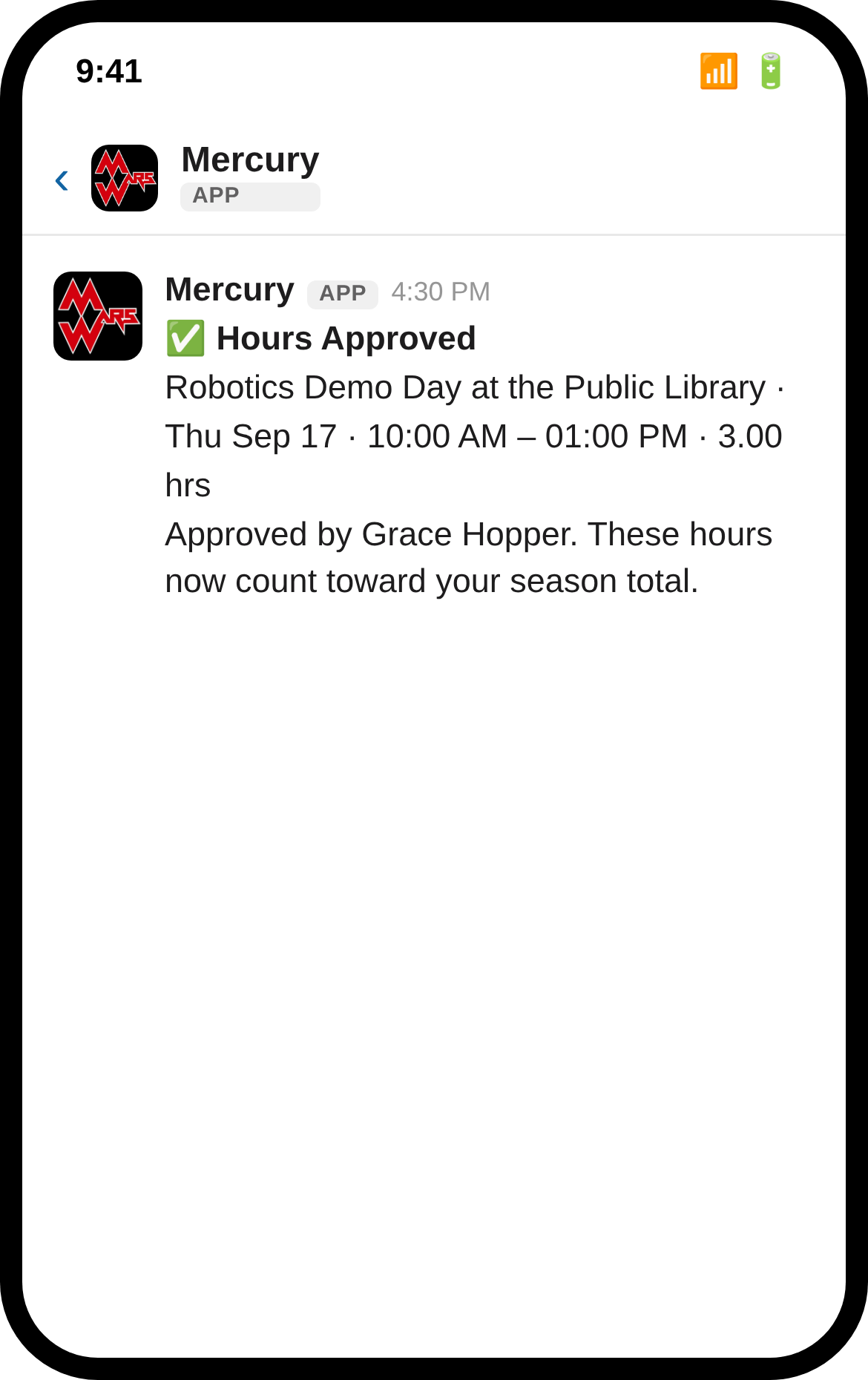
Only approved hours count toward your season total — if a submission is sitting as "Pending" for a bit, that's normal, it just means nobody's reviewed it yet.
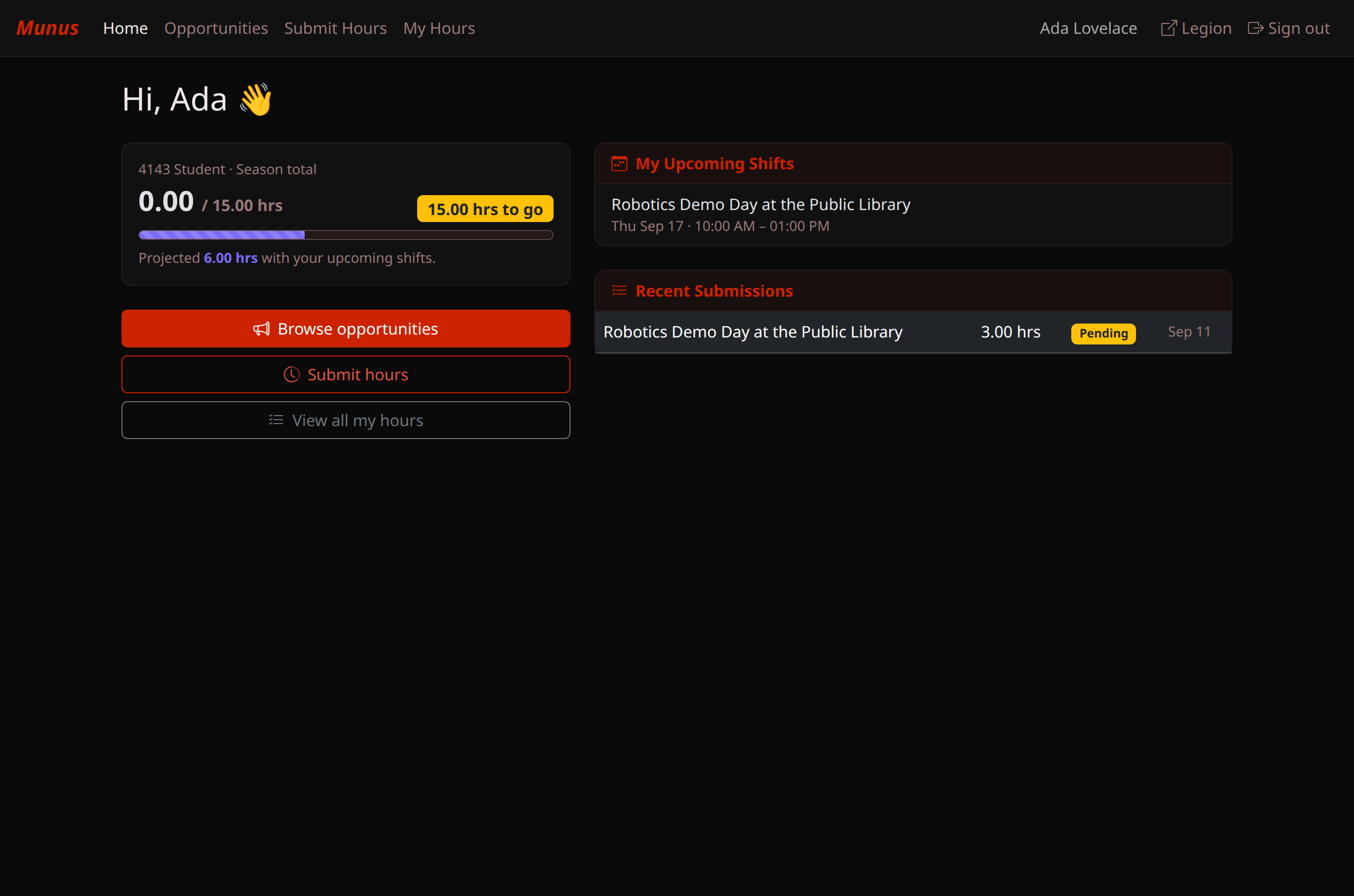
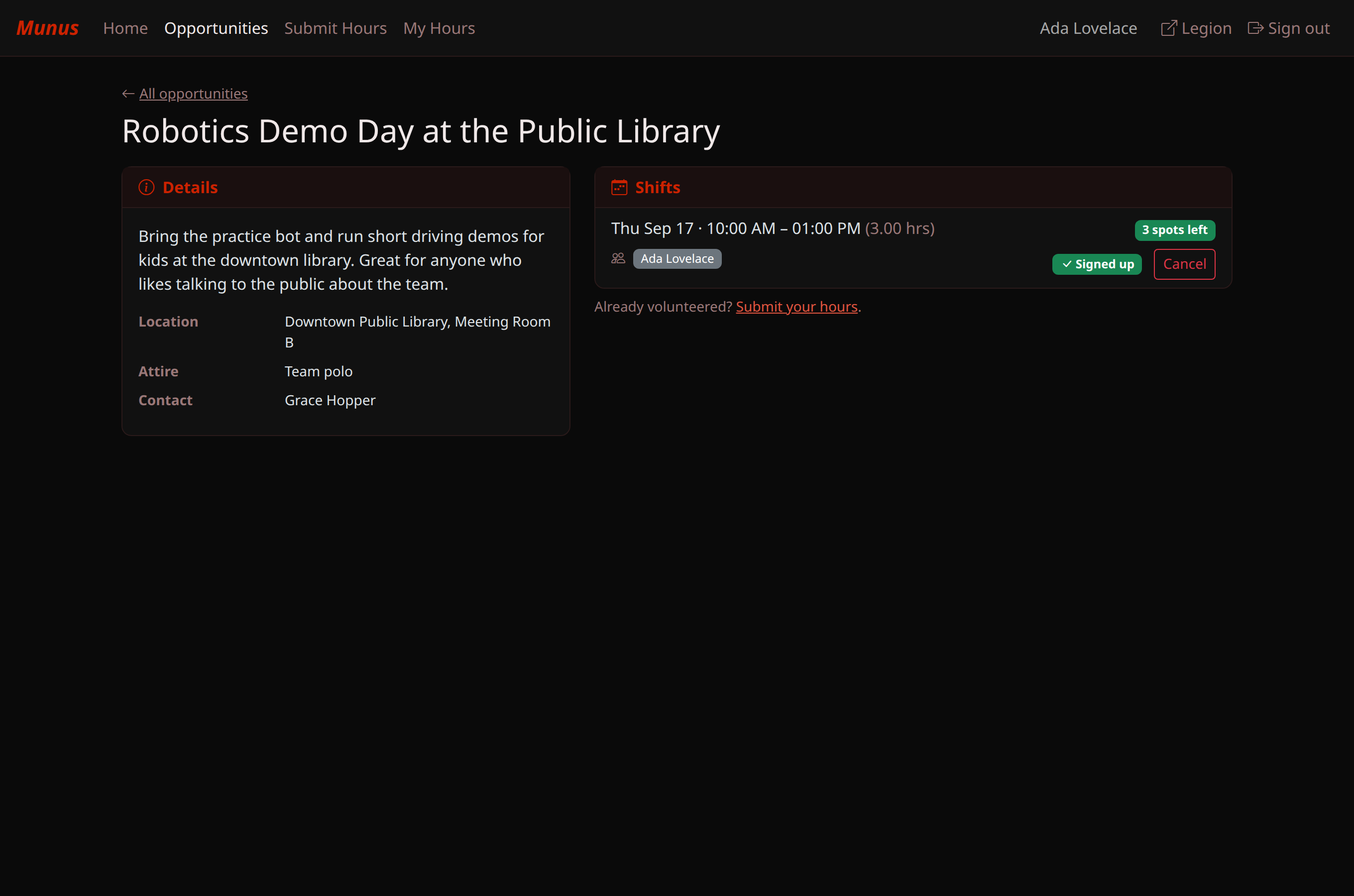
If you'd rather do any of this from a browser, /vhours replies with your season
progress and a one-tap link into the same dashboard:
Legion — your home base
You'll rarely need to think about Legion directly, but /legion is a one-tap link to
its home page, which lists every app you have access to plus every slash command
available to you:
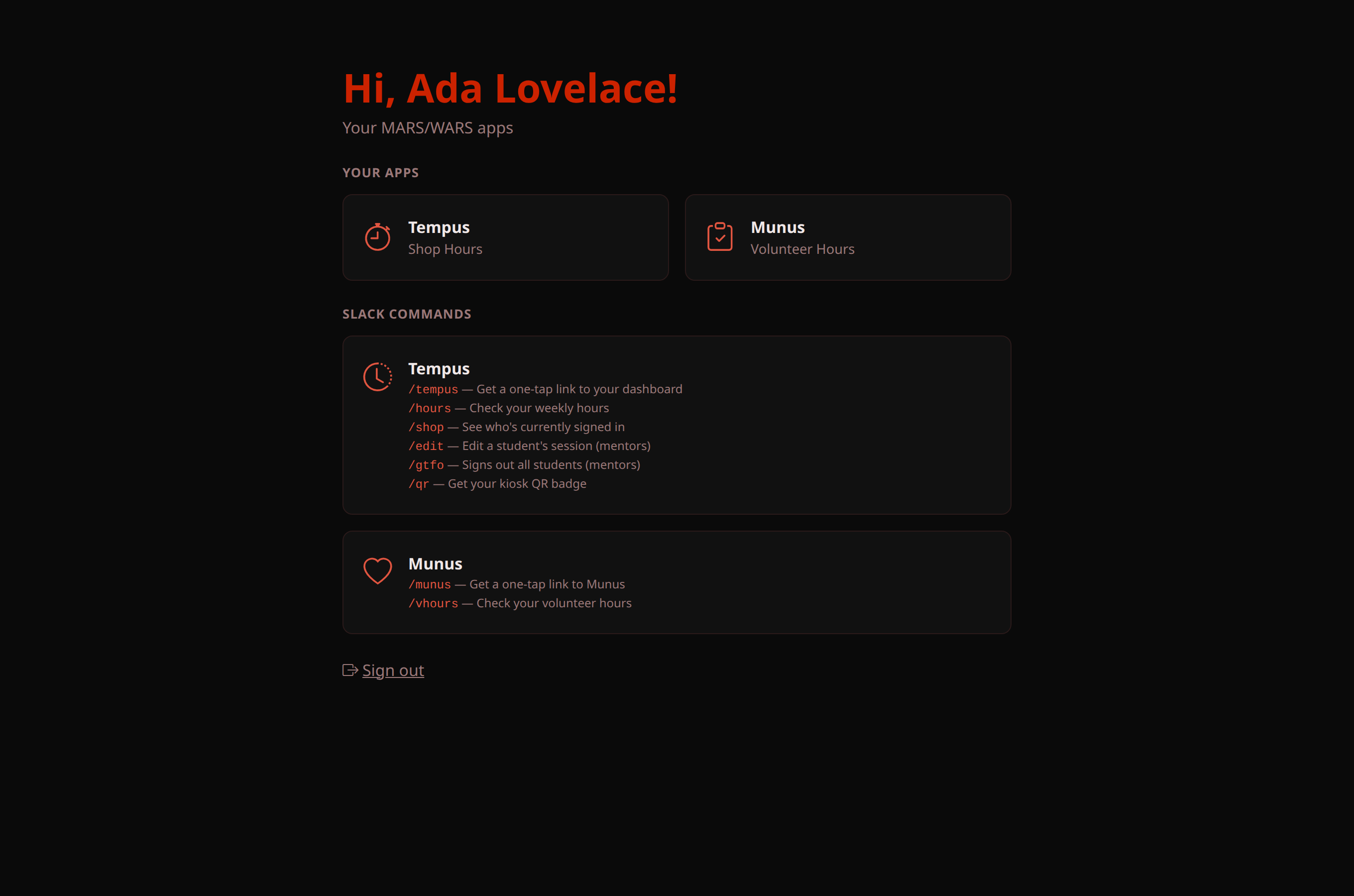
(The /edit and /gtfo commands are listed there too, but they're mentor-only — running
them as a student just gets you an error.)
Quick reference
| Command | What it does |
|---|---|
/legion | One-tap link to Legion's home page |
/tempus | One-tap link to your Tempus dashboard |
/hours | Your weekly & season shop hours |
/qr | DMs you a replacement kiosk badge |
/shop | Who's currently signed in |
/munus | One-tap link to Munus |
/vhours | Your volunteer-hours progress + upcoming shifts |
Stuck on a sign-in, or something looks wrong? Drop a note in the software subteam's Slack channel — that's us.