Elevator Mechanism
Elevators pop up commonly in FRC and are used to move mechanisms in a compact linear fashion. This is usually to reach higher places with a mechanism, reach far out from your frame perimeter, or even climb on a field element. The elevator mechanism controls a linear translation system, such as a carriage that moves vertically. It supports position, velocity, and duty cycle control with unit conversions built in.
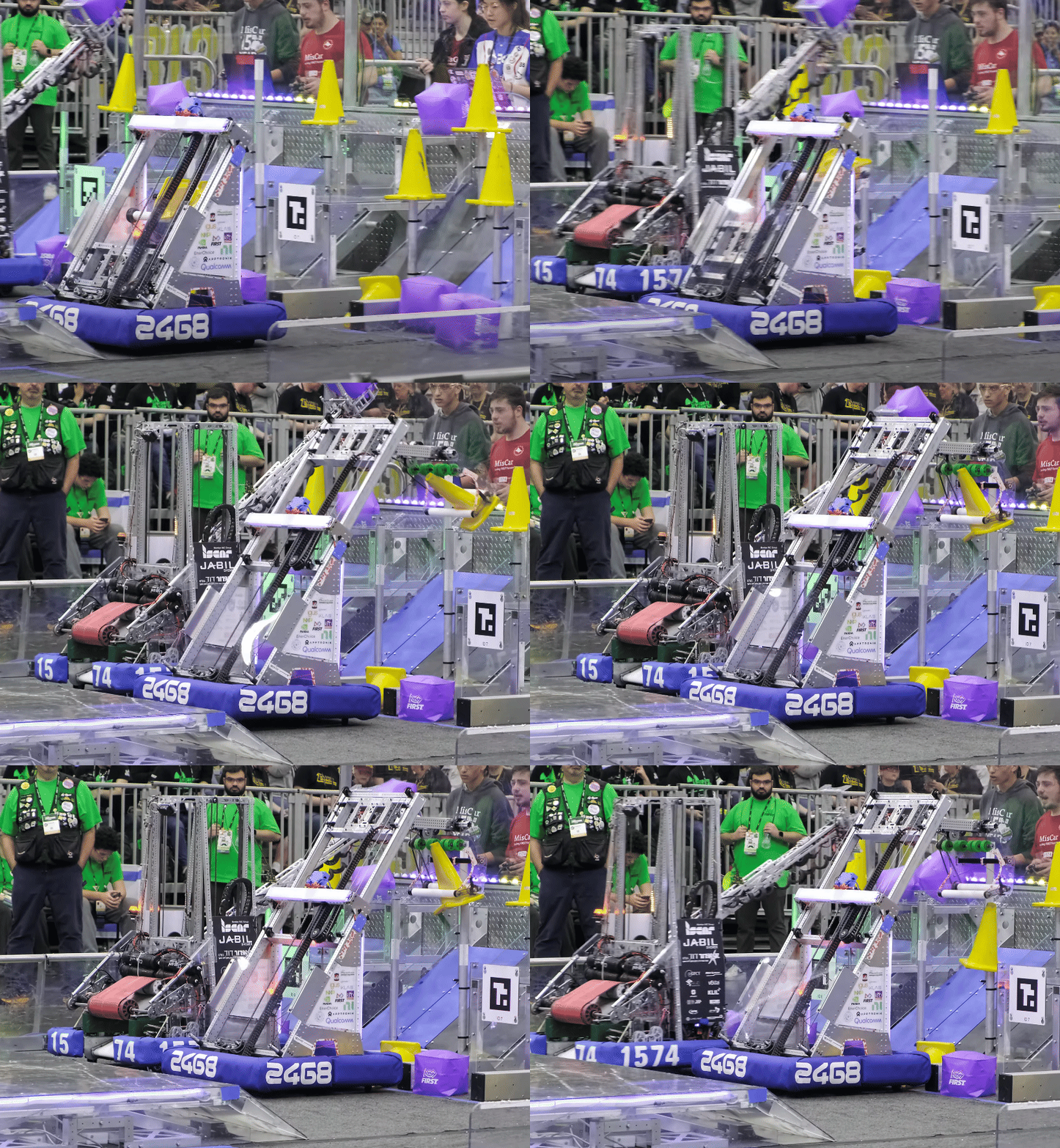
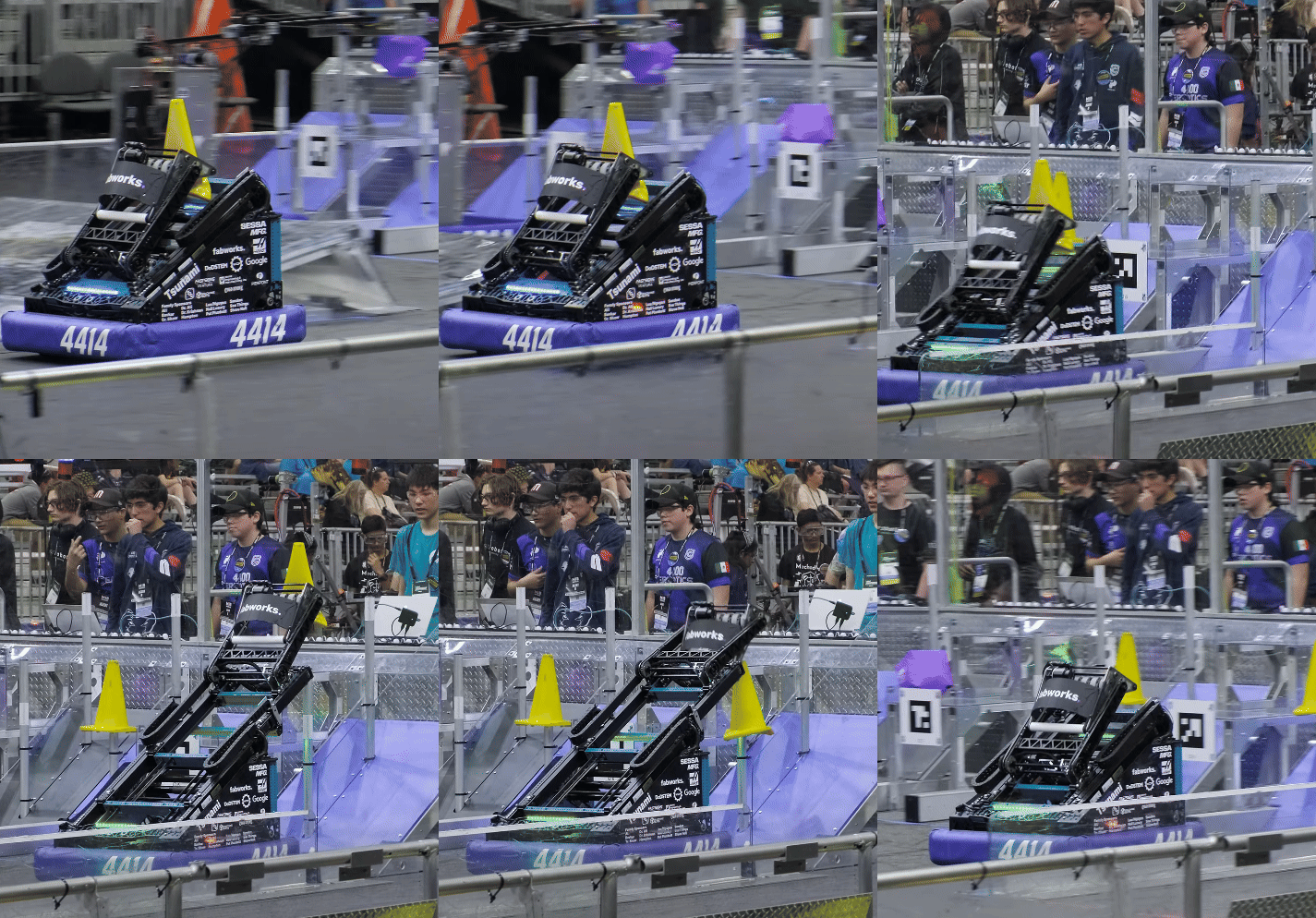
Common Use Cases
- Vertical lifts
- Telescoping mechanisms
- Vertical climbers
Typical Controls
- Position control for set heights.
- Motion profile position control for smoother movements with controlled acceleration.
- Velocity control for smooth motion.
- Duty cycle for manual control.
Constructor Parameters
The ElevatorMech constructor requires the following parameters:
logging_prefix- String prefix for logging (typically fromgetSubsystemKey())mech_name- Optional name for multiple instances (passnullif only one elevator)motor_configs- List ofMotorConfigobjects, leader firstgear_ratio- Gear ratio as motor rotations / mechanism rotationsdrum_radius- Radius of the drum/pulley in meterscarriage_mass- Mass of the carriage in kg (used for simulation)min_height- Minimum height in meters (used for simulation)max_height- Maximum height in meters (used for simulation)is_vertical- Boolean indicating if elevator is vertical (affects gravity compensation)
Example Construction
// In your subsystem constructor
elevator_ = new ElevatorMech(
    getSubsystemKey(),                // Logging prefix
    "Elevator",                       // Mechanism name (optional)
    List.of(CONSTANTS.ELEVATOR_LEADER_MOTOR_CONFIG,
            CONSTANTS.ELEVATOR_FOLLOWER_MOTOR_CONFIG),
    CONSTANTS.ELEVATOR_GEAR_RATIO,    // Gear ratio
    CONSTANTS.ELEVATOR_DRUM_RADIUS,   // Drum radius (m)
    CONSTANTS.CARRIAGE_MASS,          // Carriage mass (kg)
    CONSTANTS.MIN_HEIGHT,             // Min height (m)
    CONSTANTS.MAX_HEIGHT,             // Max height (m)
    true                              // Is vertical
);
// Set initial position (for zeroing)
elevator_.setCurrentPosition(CONSTANTS.ELEVATOR_HOME_POSITION);
Common Methods
Control Methods
setTargetPosition(position_m)- Standard position control in meterssetTargetPositionMotionProfile(position_m)- Position control with motion profilingsetTargetPositionWithFF(position_m, feedforward)- Position control with arbitrary feedforwardsetTargetPositionMotionProfileWithFF(position_m, feedforward)- Motion profile with feedforwardsetTargetVelocity(velocity_mps)- Velocity control in meters per secondsetTargetDutyCycle(duty_cycle)- Open-loop voltage control (-1.0 to 1.0)
Feedback Methods
getCurrentPosition()- Returns current position in metersgetCurrentVelocity()- Returns current velocity in meters per secondgetLeaderCurrent()- Returns leader motor current draw in amps
Calibration
setCurrentPosition(position_m)- Sets the current position (for zeroing/homing)
Simulation
applyLoadForce(force_n)- Applies external load force at the carriage (simulation only)
Tips
- The mechanism automatically handles gravity compensation for vertical elevators.
- Use motion profile control for smoother movements with large height changes.
- Always set an initial position using
setCurrentPosition()after construction to establish a known zero point. - Keep distances in meters for consistency.
- Use feedforward control to improve tracking performance on demanding trajectories.
- For multiple elevators (e.g., left/right sides), provide unique
mech_namevalues to distinguish them in logs.